SE16N Data Browser
A read-only display of rows from the accepted catalog, in the style of General Table Display.
SE16N Data Browser
A read-only display of rows from the accepted catalog, in the style of General Table Display.
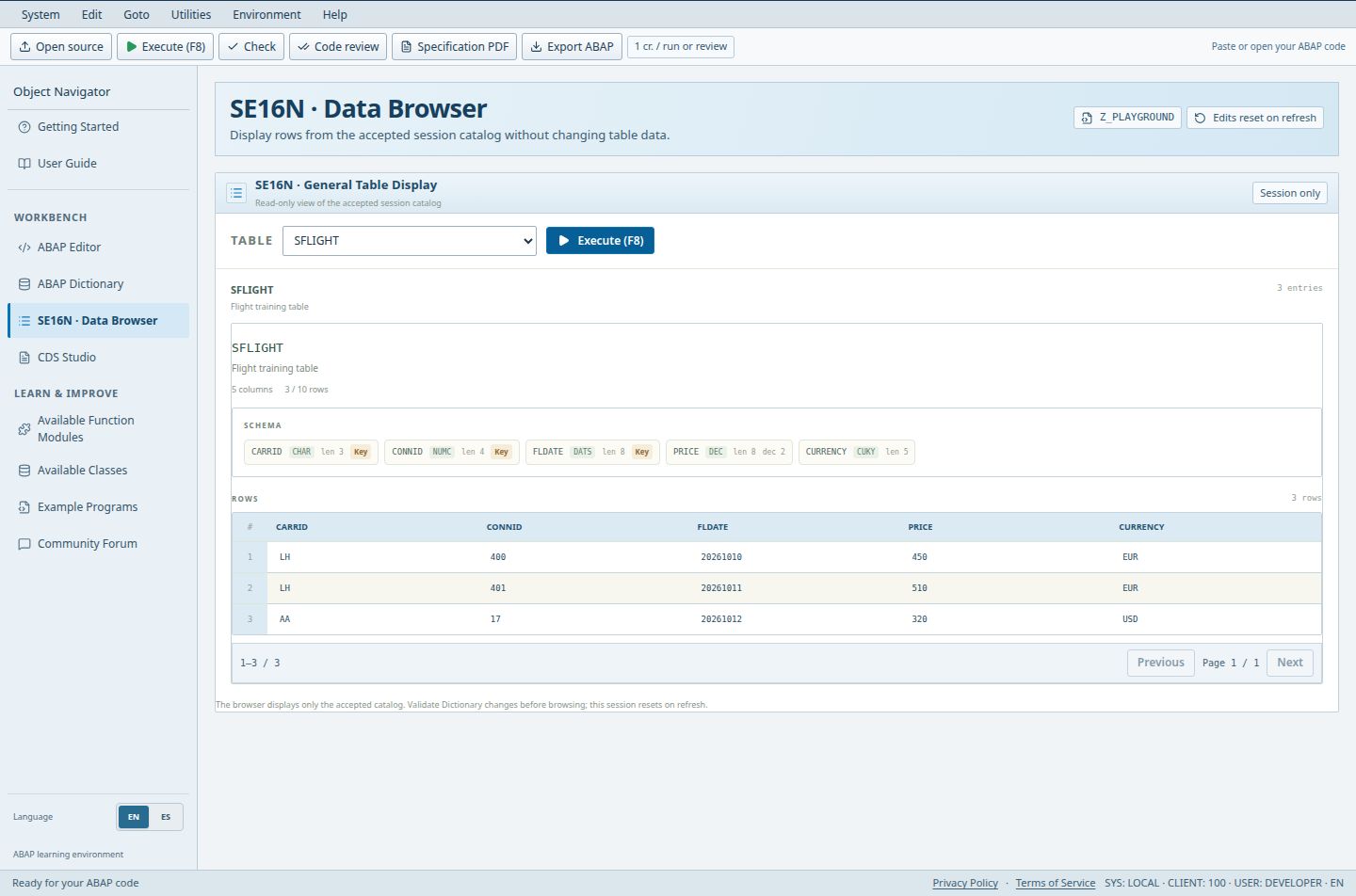
- The Table selector chooses SFLIGHT in this example.
- Execute (F8) displays the accepted rows for that table.
- The result area contains three synthetic flight records.
Pro and Teams see their private catalog; others see the session catalog.
Access (Guest / Free / Pro / Teams): full / full / full / full. full = Included; limited = Limited; signin = Sign-in required; no = Not included; soon = Coming Soon.
Steps
- Open SE16N and pick a table from the Table list.
- Choose Execute (F8). The entries count and the rows appear below.
- To change data, return to ABAP Dictionary; SE16N does not modify rows.
Good to know
- Only validated, accepted tables are listed. Unvalidated drafts are invisible here.
Limits
- There are no filter, import or export controls on this page; use Dictionary for JSON import and export.
Troubleshooting
- No accepted tables: restore the sample catalog or validate a permitted JSON import in Dictionary. Creating additional private tables requires Pro or Teams. If newly entered rows are missing, validate/save the Dictionary draft before executing SE16N again.
Open SE16N in the workbench Open Dictionary in the workbench