Output: ALV grid, CSV, dumps and source navigation
After a run the result viewer shows list output, structured SAP List Viewer (ALV) grids, messages and runtime diagnostics.
Output: ALV grid, CSV, dumps and source navigation
After a run the result viewer shows list output, structured SAP List Viewer (ALV) grids, messages and runtime diagnostics.
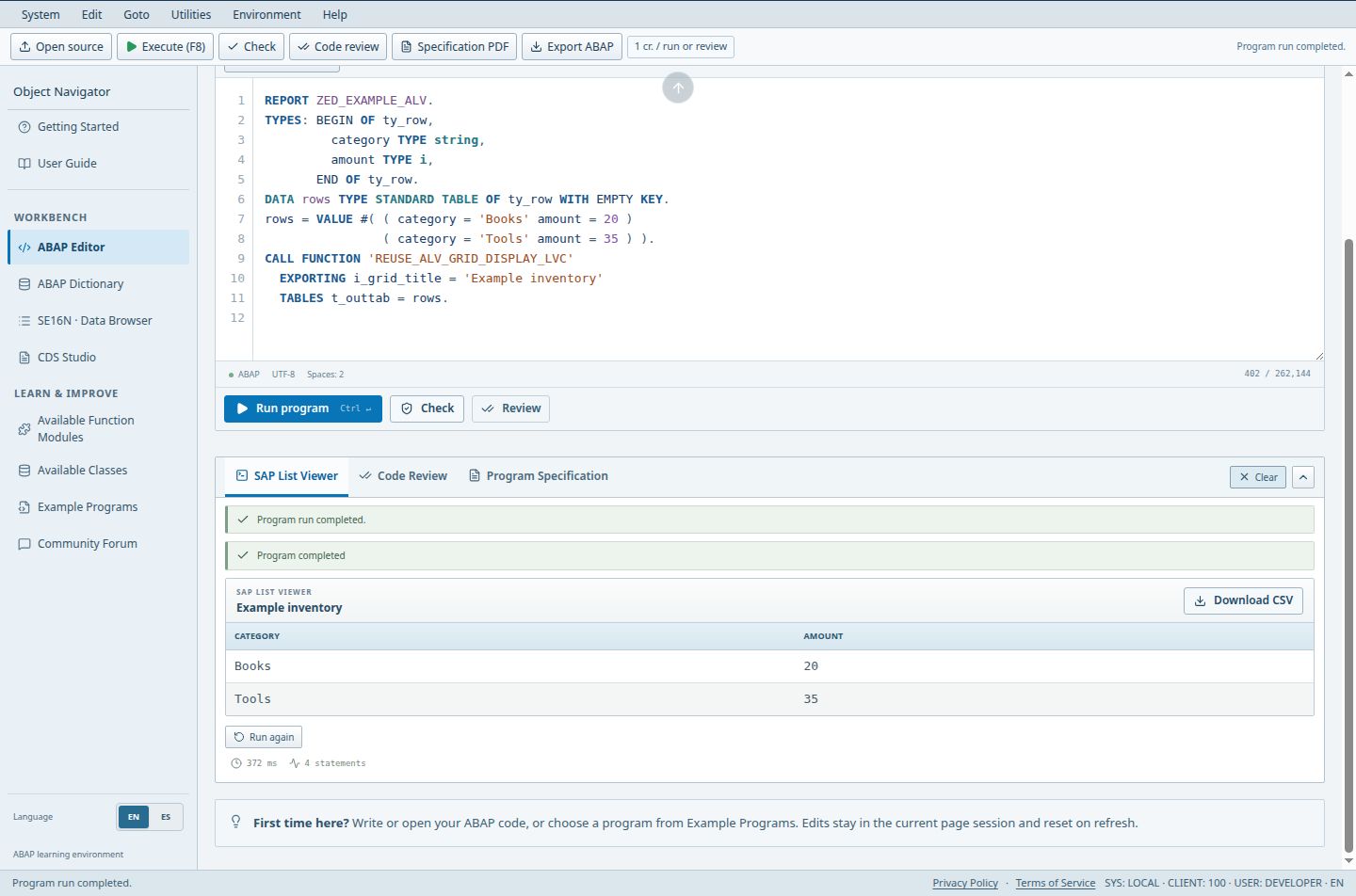
- The title identifies the ALV output produced by the report.
- Download CSV exports the displayed result rows.
- Read the grid columns and records before interpreting the result.
Access (Guest / Free / Pro / Teams): full / full / full / full. full = Included; limited = Limited; signin = Sign-in required; no = Not included; soon = Coming Soon.
Steps
- Run a program and open the SAP List Viewer tab: plain WRITE lines appear as a classic list. Clear removes the current output; Run again repeats the last request after an error.
- When a program produces an ALV grid, review the columns and press Download CSV (the file is named sap-list-viewer.csv).
- If a run ends in a runtime error, the Runtime Error - Long Text view shows Category, Exception, ABAP Program, Date and Time, Short Text and Contents. Export diagnostic saves it.
- Choose Go to source line to return to the editor at the failing statement.
Good to know
- Diagnostics are produced by the simulator; the wording is similar to SAP but not identical.
- CSV export contains the rows shown in the grid at the time you export.
Limits
- Advanced ALV events and full SAP GUI behavior are outside the simulator.
Troubleshooting
- Output is empty: the program may have selected from a table with no rows in your catalog. Check SE16N.