ABAP Dictionary: inspect tables and maintain private data
The Dictionary shows the session table catalog with fields and sample data. Paid plans can create tables and fields and keep them.
ABAP Dictionary: inspect tables and maintain private data
The Dictionary shows the session table catalog with fields and sample data. Paid plans can create tables and fields and keep them.
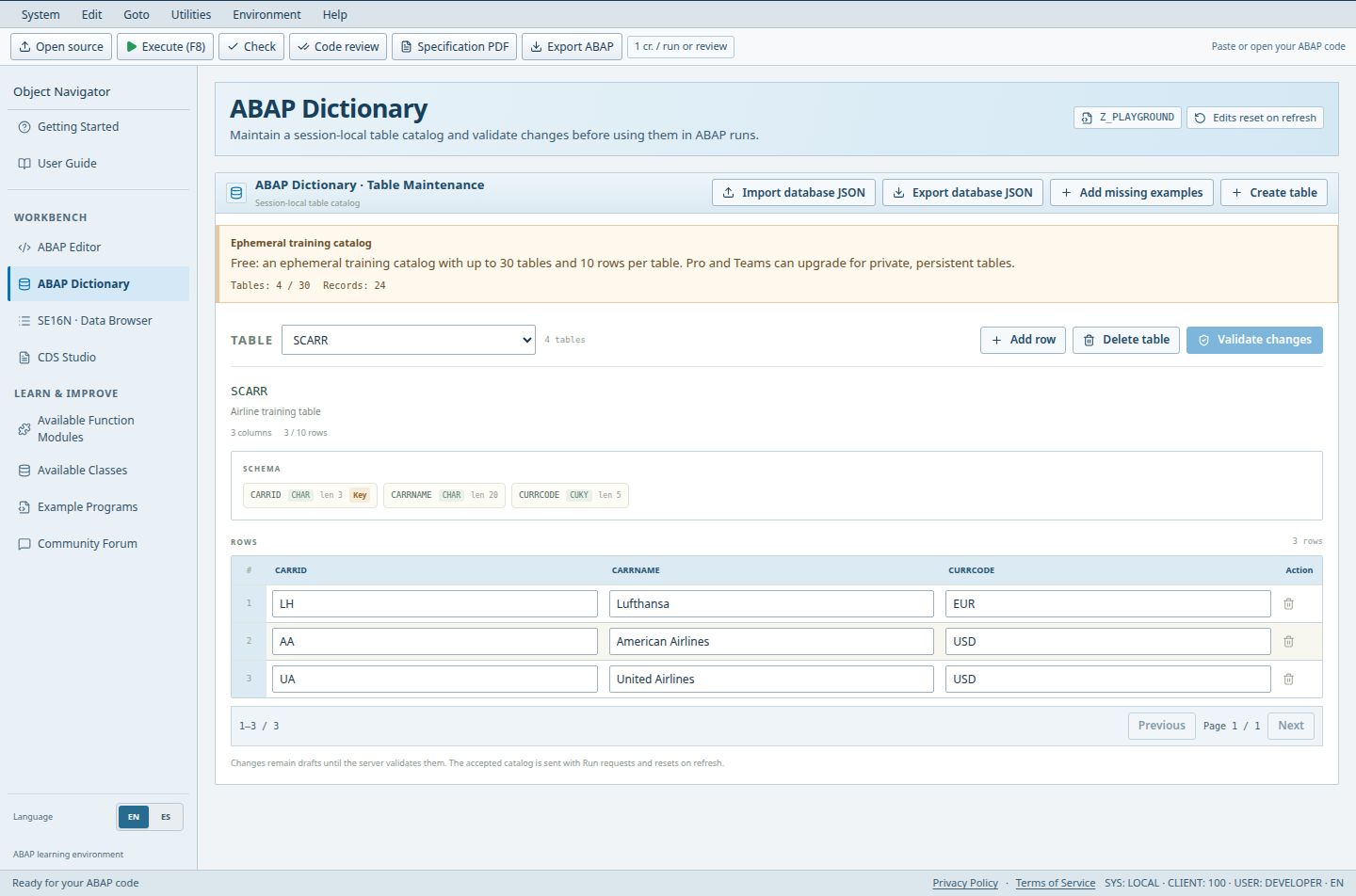
- Select the table whose structure and data you want to inspect.
- CARRID is one of the field definitions in the schema.
- These sample records belong to the selected table, not to an external SAP system.
Everyone can inspect. Free and guest changes are a temporary catalog (10 rows per table) that resets on refresh. Pro and Teams persist.
Access (Guest / Free / Pro / Teams): limited / limited / full / full. full = Included; limited = Limited; signin = Sign-in required; no = Not included; soon = Coming Soon.
Steps
- Open ABAP Dictionary and choose a table in the Table selector to inspect its schema and rows.
- On Pro or Teams, choose Create table, enter a name (Z_MY_TABLE style), an optional description, then Add field for each column with Type, Length, Decimals and the Key checkbox. Guests and Free users can inspect the catalog and edit permitted temporary sample data, but cannot create persistent private tables.
- Use Add row, edit cells, or Delete table (with confirmation) to maintain data.
- Choose Validate & save (Pro/Teams) or Validate changes (others). Edits are drafts until the server validates them.
- Use Import database JSON and Export database JSON to move a catalog, and Add missing examples to restore sample tables.
Good to know
- Up to 30 characters for names; up to the field limit per table; lengths to 65535, decimals to 14.
- The catalog is sent with Run requests, so ABAP programs can SELECT from your accepted tables.
Limits
- Paid accounts: 50 tables and 10,000 records in TOTAL across all tables, sample tables included, plus an 8 MB safety limit. This is not per table.
- Free catalogs are temporary: 10 rows per table; never expect a persistent private workspace.
Troubleshooting
- Add row is disabled: you reached the row or total-record limit. Delete rows or tables.
Open ABAP Dictionary in the workbench Compare plans in the workbench