Debugger
Step through a program and inspect variables. Debugging is a registered-user feature.
Debugger
Step through a program and inspect variables. Debugging is a registered-user feature.
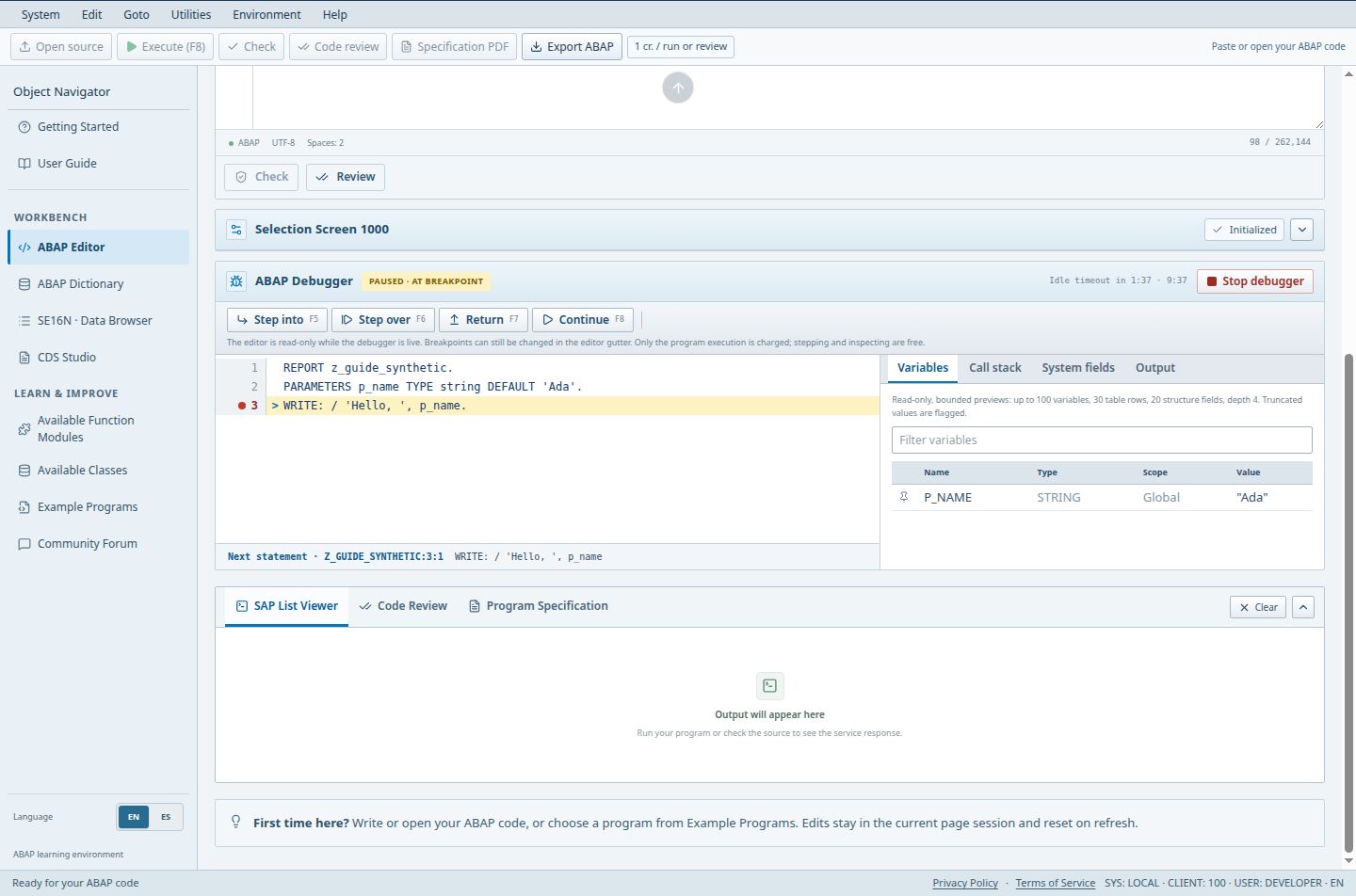
- The status confirms execution is paused at a breakpoint.
- Step over (F6) advances through the current statement.
- Continue (F8) resumes until the next breakpoint or program end.
- The variable inspector shows the current P_NAME training value.
Guests cannot debug. Debug steps are free and use no credits.
Access (Guest / Free / Pro / Teams): no / full / full / full. full = Included; limited = Limited; signin = Sign-in required; no = Not included; soon = Coming Soon.
Steps
- Sign in. Debugging needs registration and is available on Free, Pro and Teams. Guests do not get the Add breakpoint control.
- Use Add breakpoint (at the cursor line) or click line numbers to set or remove breakpoints, then run. In the ABAP Debugger panel use Step into, Step over, Return, Continue and Stop debugger.
- Inspect the tabs Variables, Call stack, System fields, Output and Breakpoints; use Filter variables, and Pin to watch list for the values you follow. Sessions expire after 2 minutes idle or 10 minutes total.
Good to know
- Stepping does not bill credits; only a full run is billed by source-based cost.
Limits
- The debugger follows the simulator; it does not attach to real SAP work processes.
Troubleshooting
- Debugger not offered: confirm you are signed in.